No complex 3D software. No massive teams. Just one prompt — Aiction writes the script, dresses the characters, builds the timeline, and renders the video. All in one screen.
Every feature was designed to break a real barrier in animation production. Monthly work reduced to days — daily work reduced to minutes.
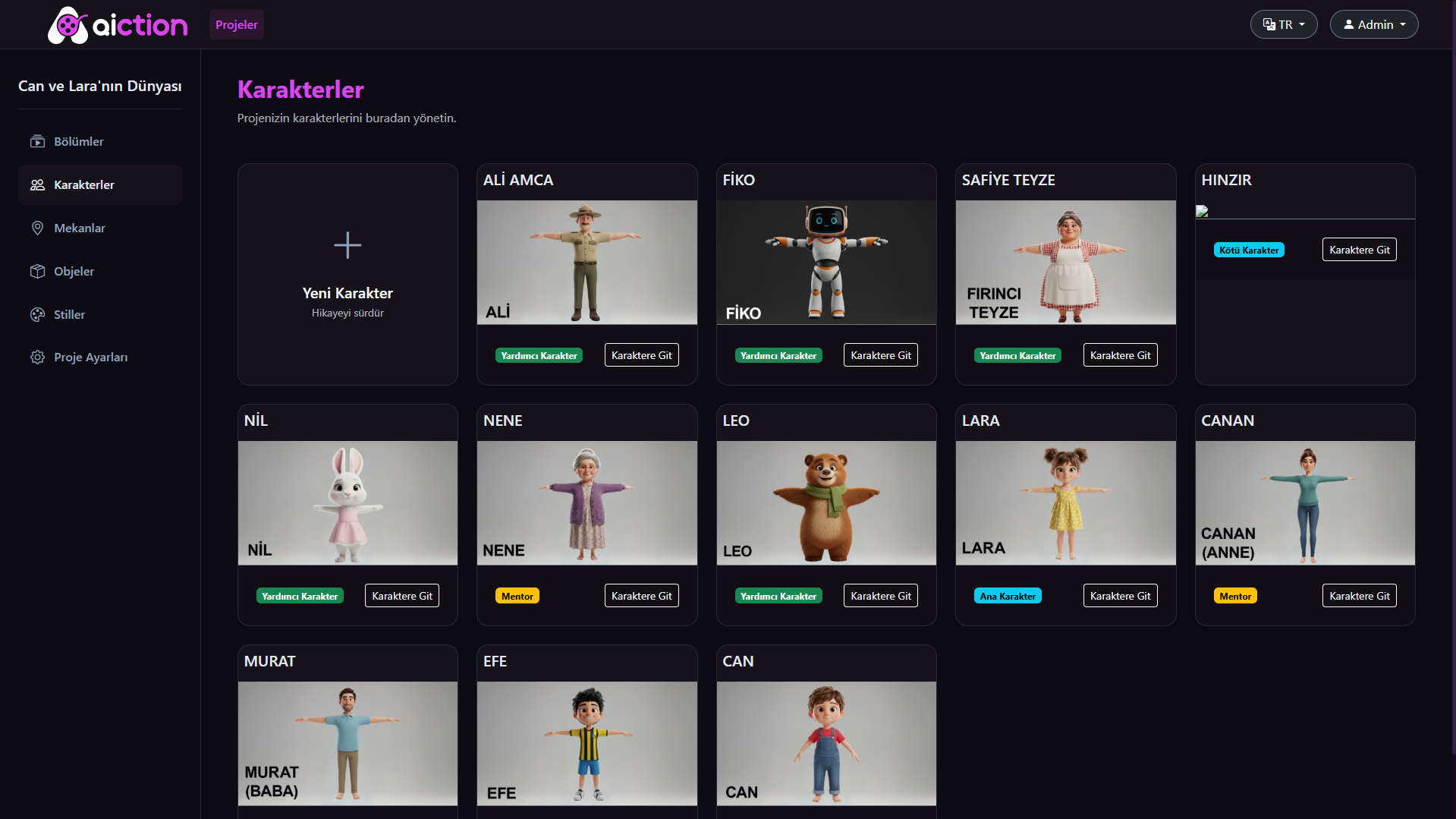
Can, Lara, Fiko, Leo, Nil, Nene, Ali Amca… 11+ characters are defined once. Outfit, physical features, role — AI uses this information in every scene, every episode, and never produces inconsistencies.
Pixar 3D
11+
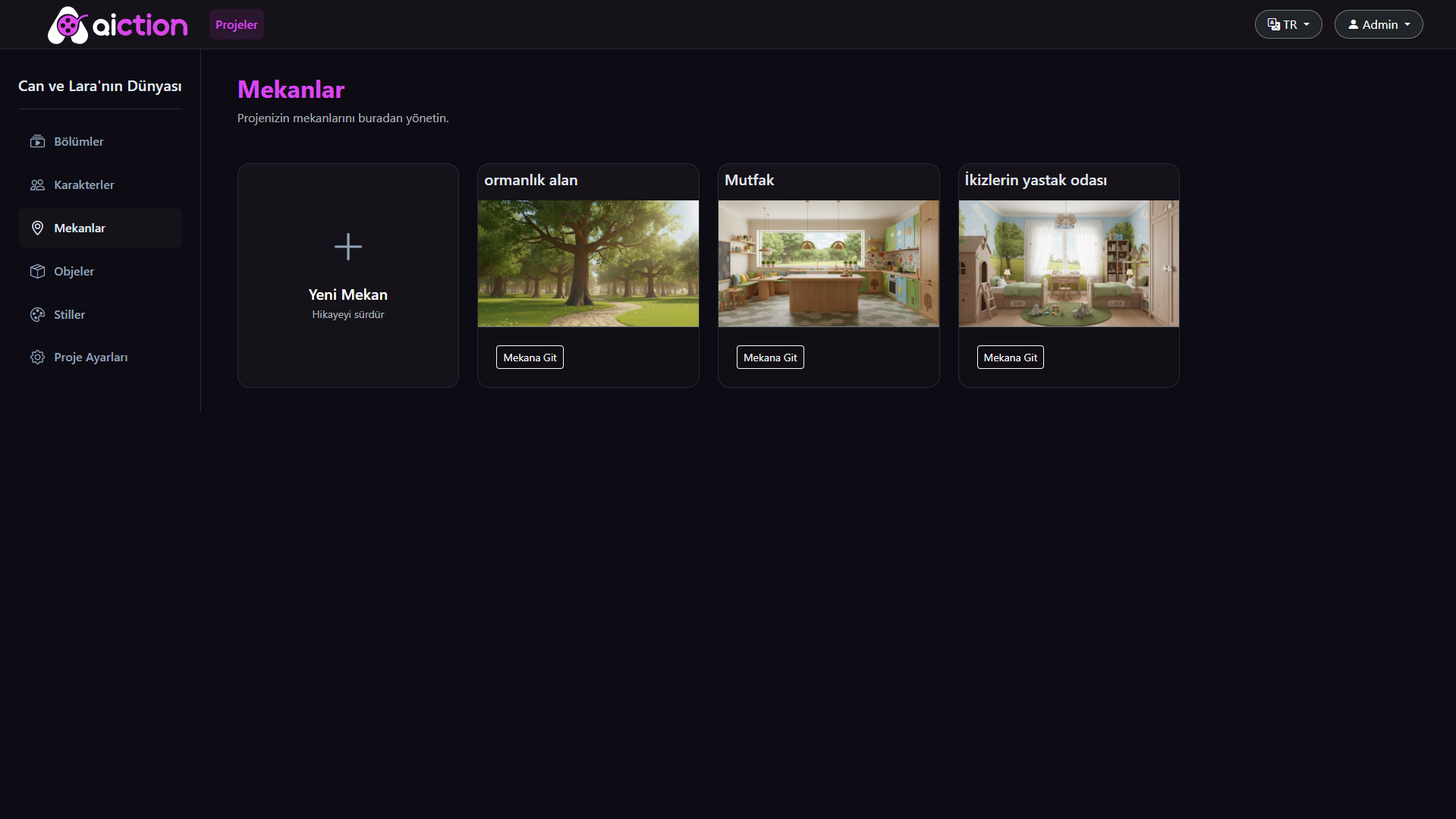
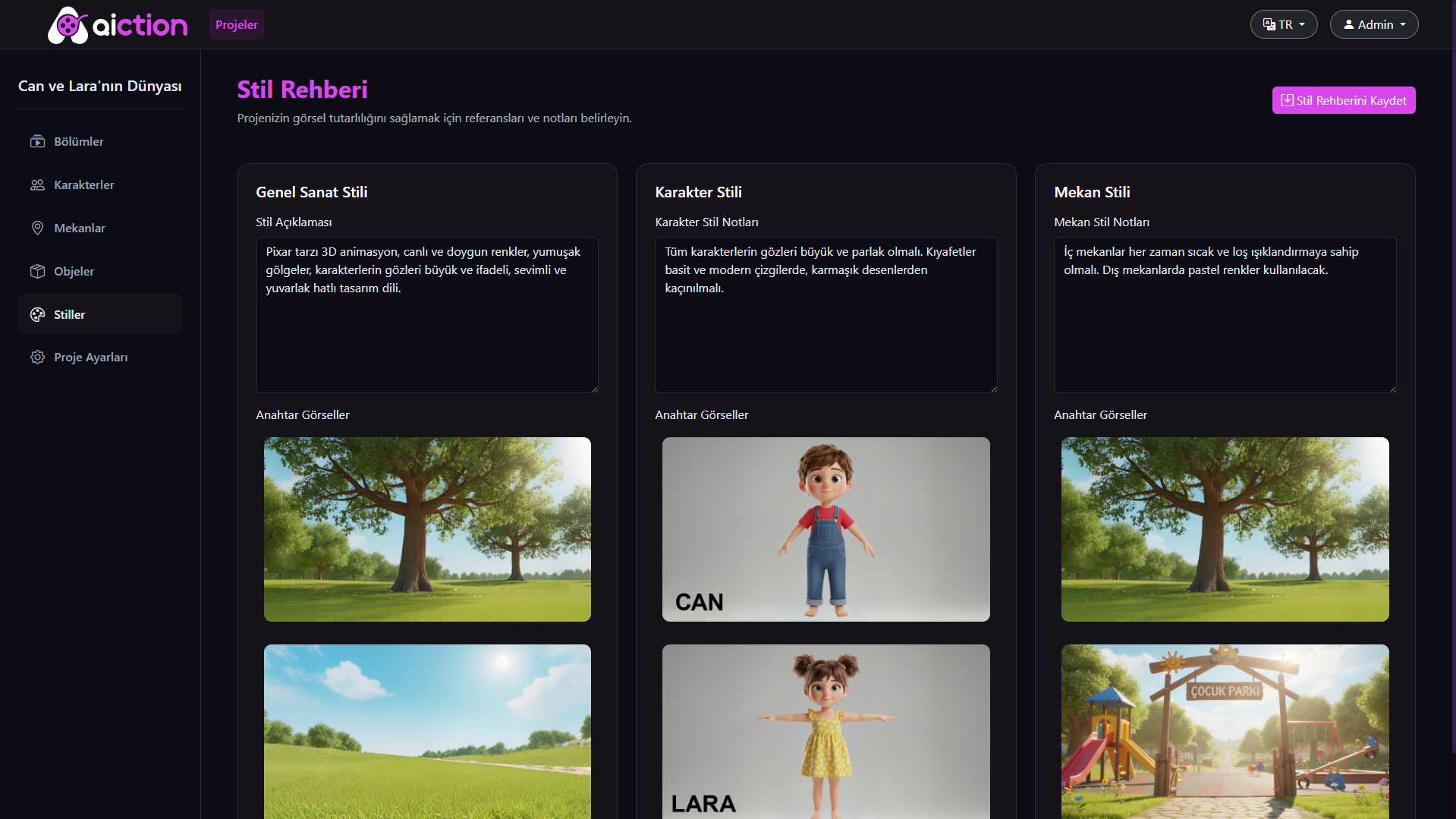
Forest, kitchen, twins' bedroom — each location is defined once. In the Style Guide, separate notes and key images are set for General Art Style, Character Style, and Location Style. AI references this guide in every single scene.
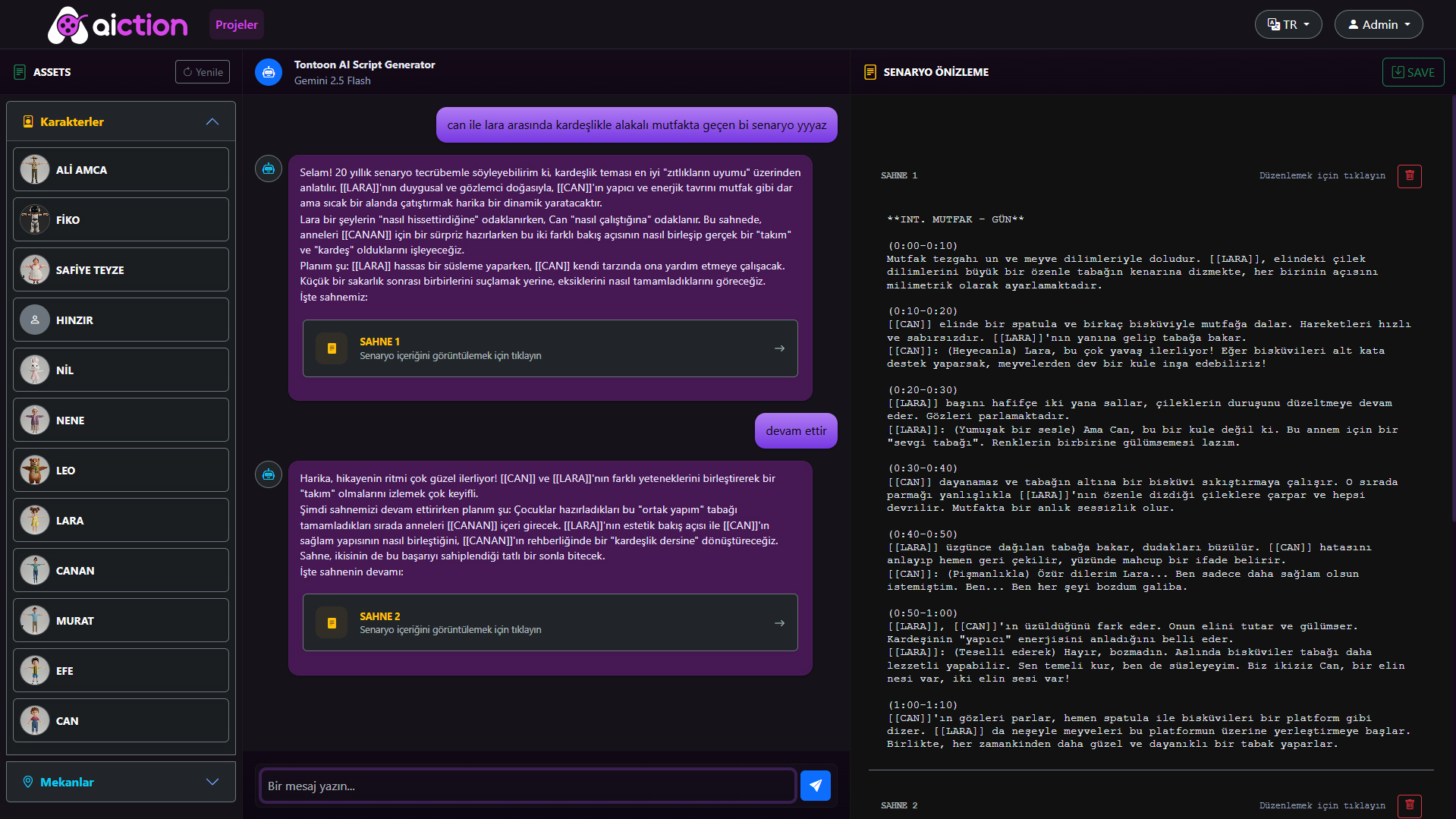
Write 'Can and Lara kitchen brotherhood episode' — that's it. Toonoon AI knows all your project's characters and instantly generates dialogues and scene descriptions. The script previews in the right panel in real time.
<10s
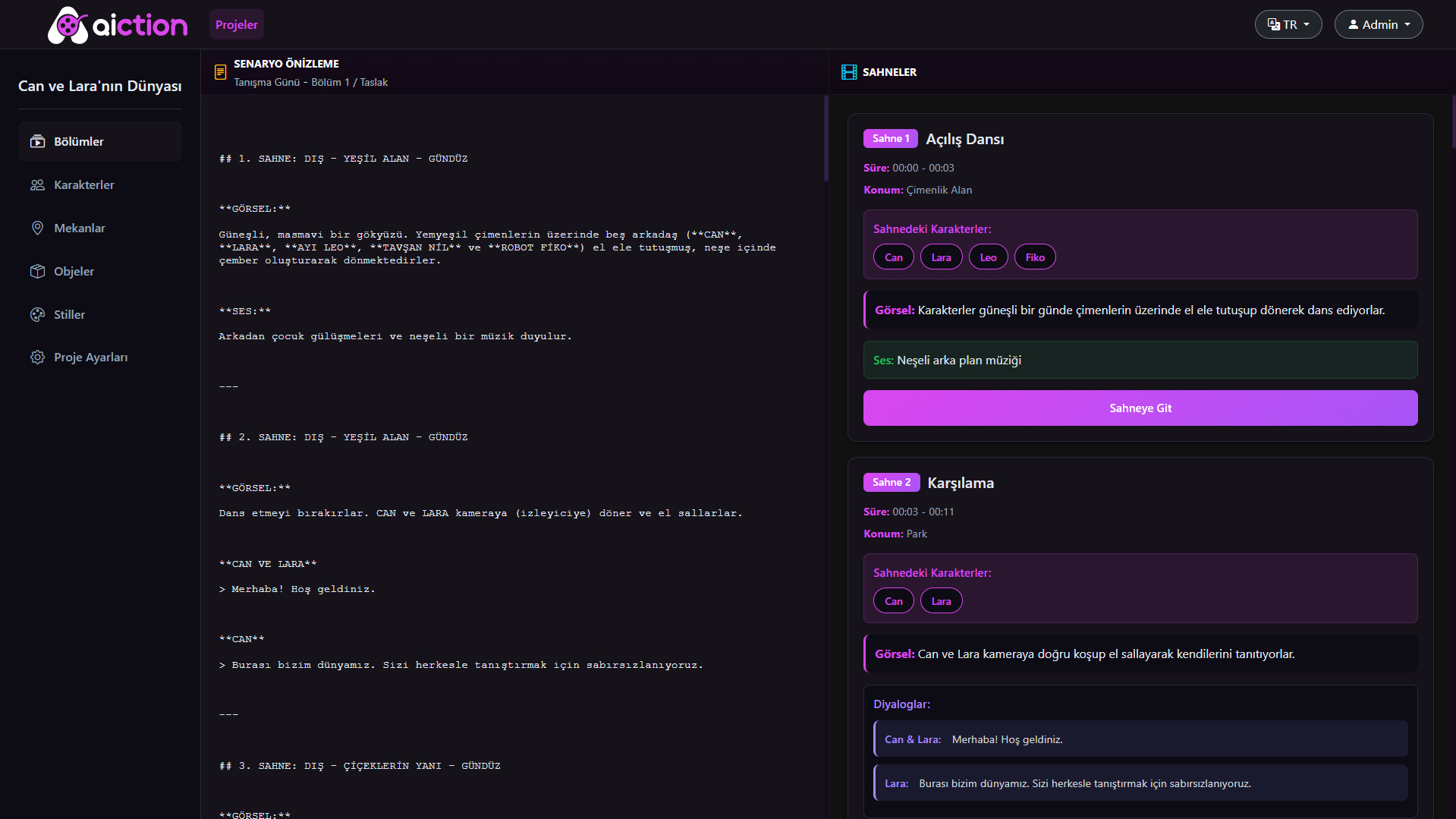
The generated script is displayed on the left as full text, and on the right as a structured scene-by-scene layout. Each scene lists characters, location, visual description, audio and dialogues in separate blocks.
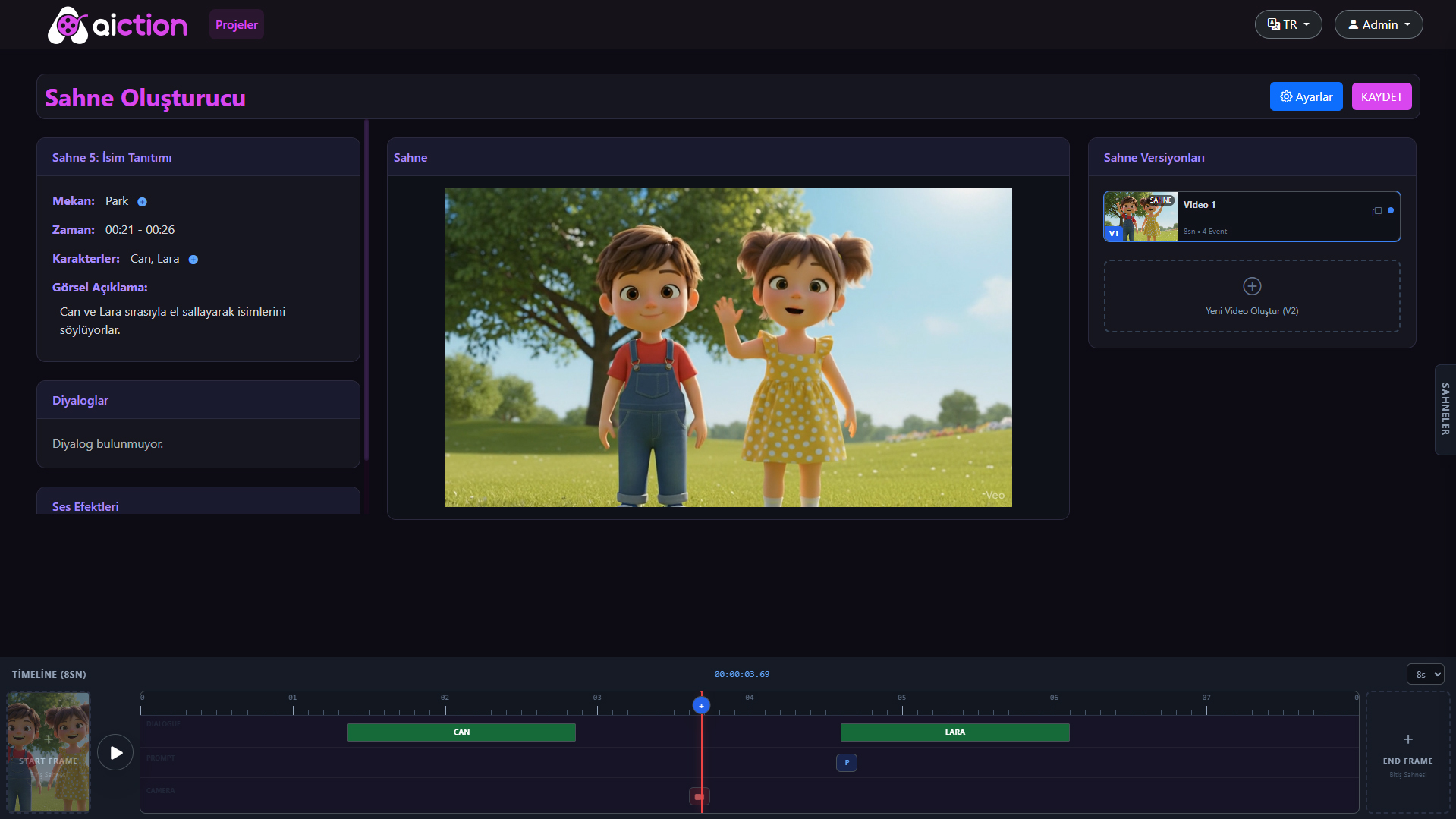
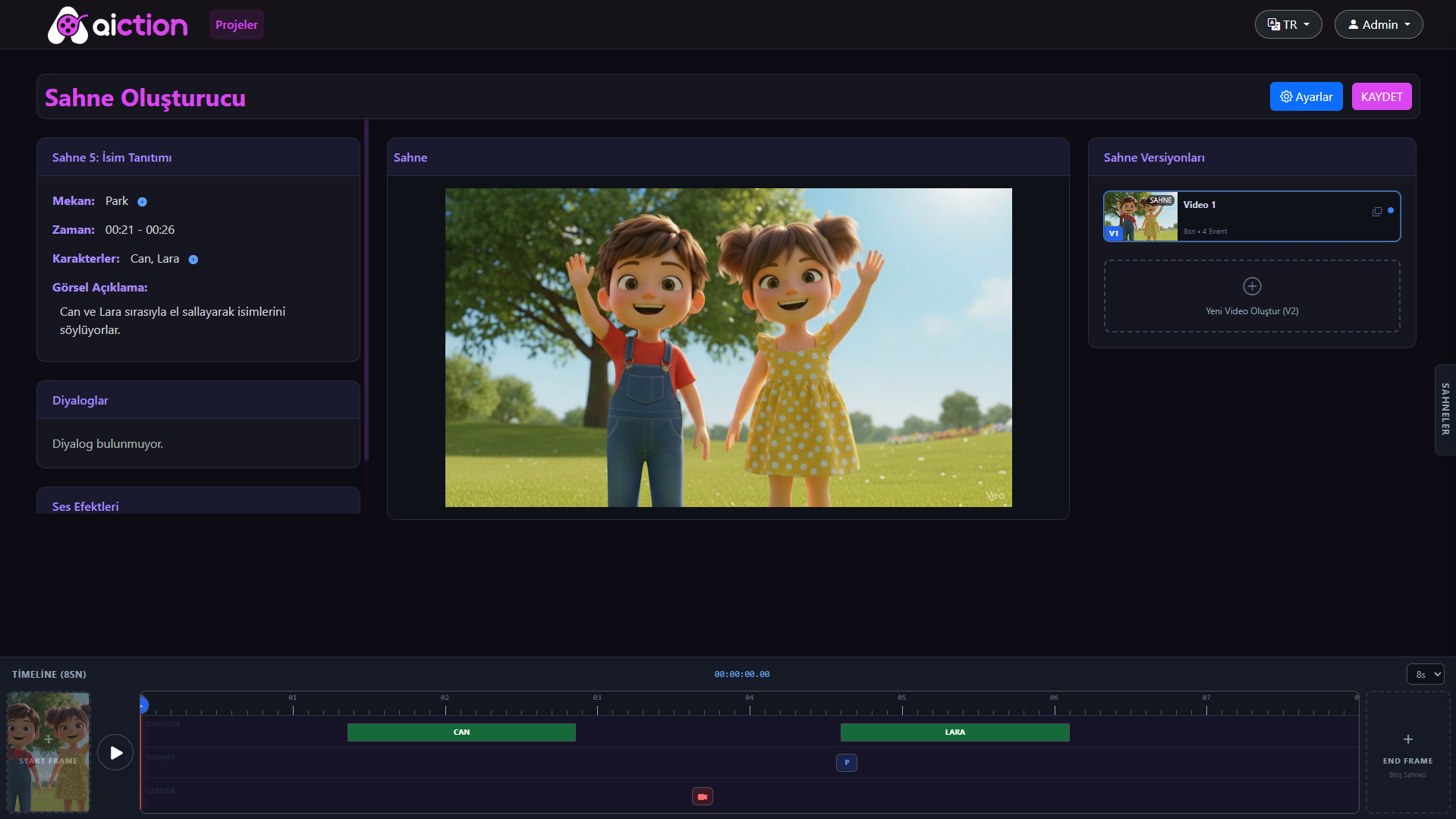
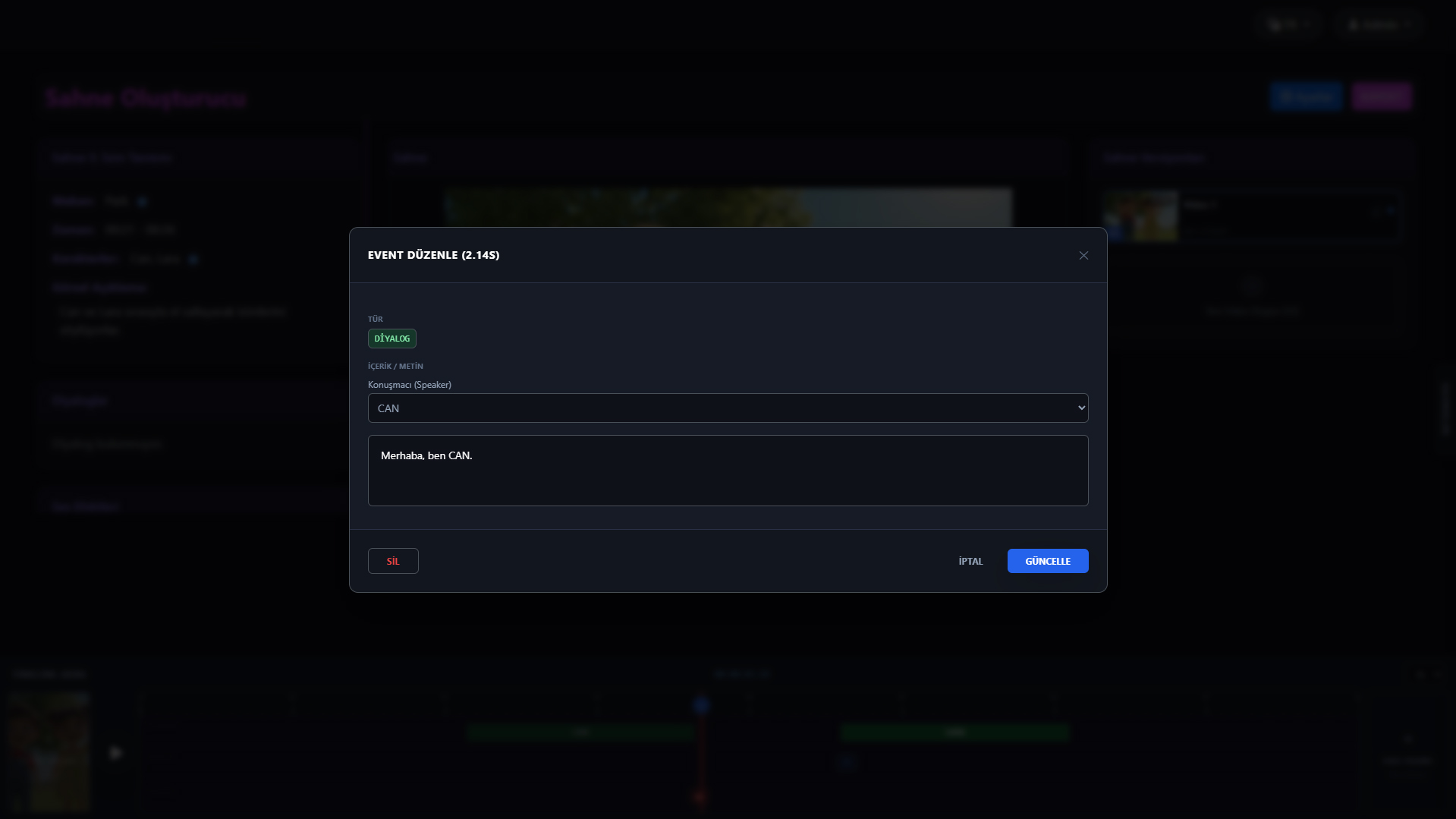
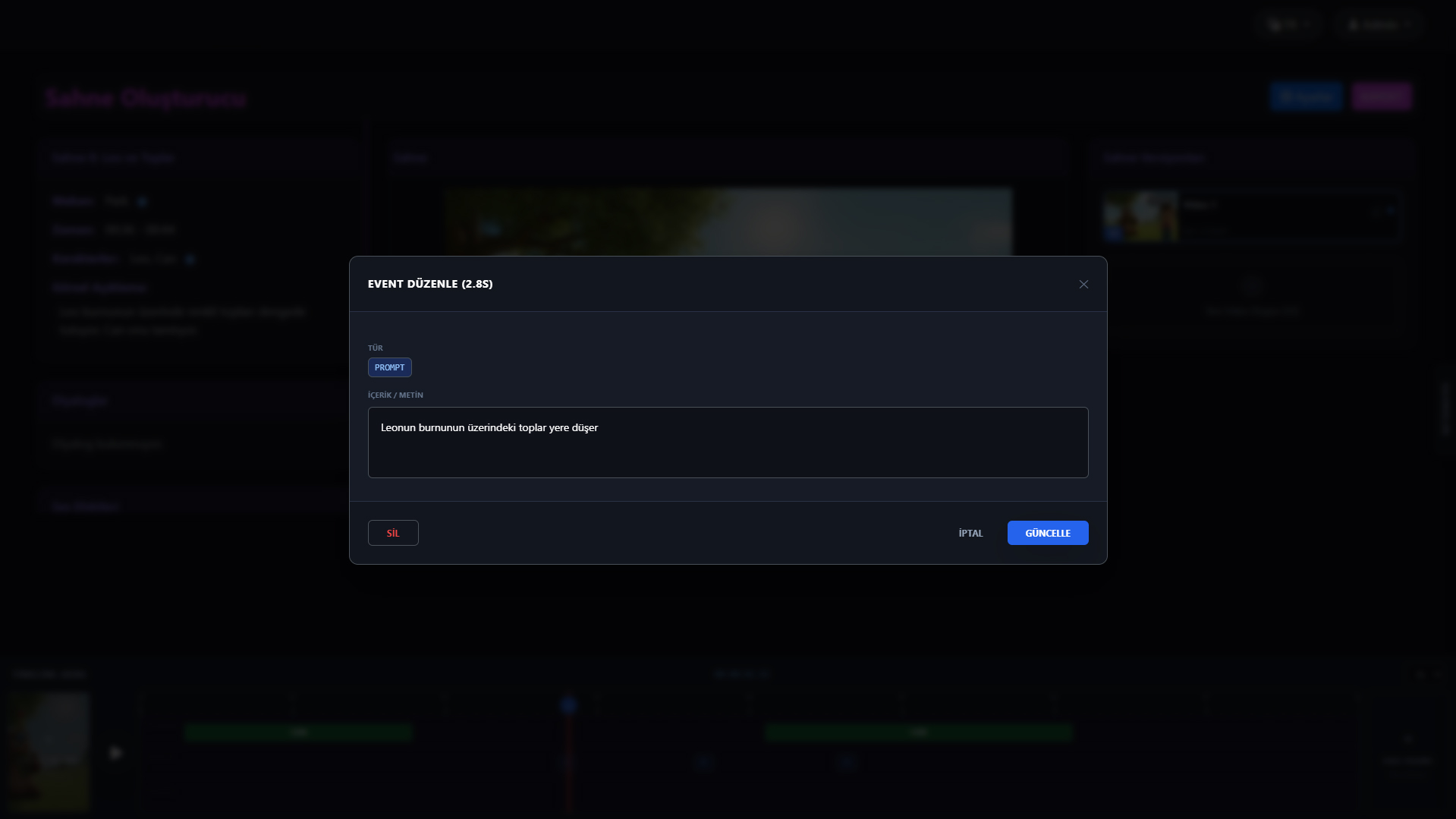
For each scene, location, time range and characters are set. The visual description is interpreted by AI, producing a Start Frame. Once approved, move to the Timeline: place dialogue, prompt and sound events on character tracks.
8s/scene
The process that reduces the distance between idea and final video to minutes — step by step from real screens.
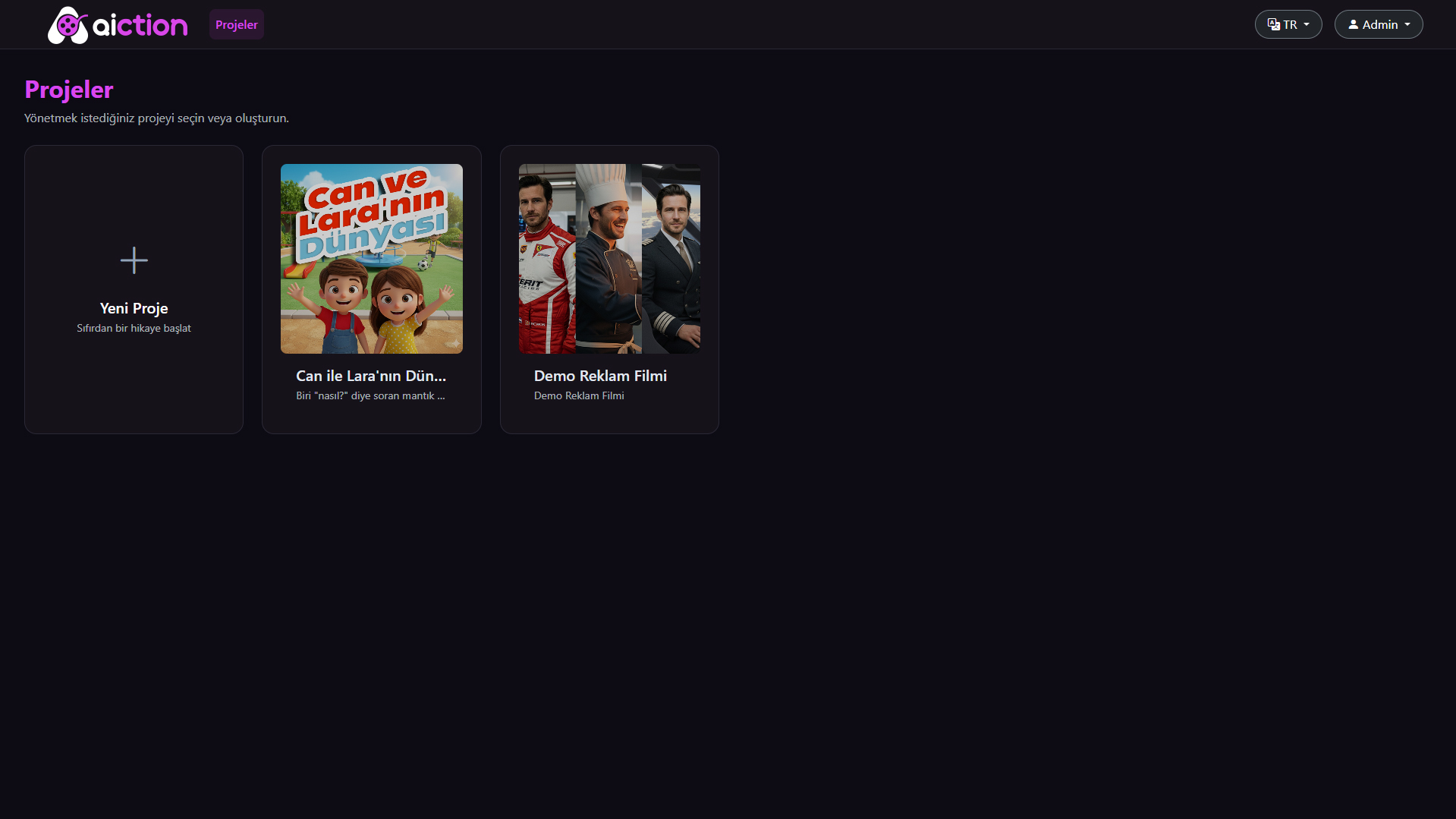
When Aiction opens, the project selector greets you. Start fresh with 'New Project' — enter the name and description. Manage multiple projects simultaneously.
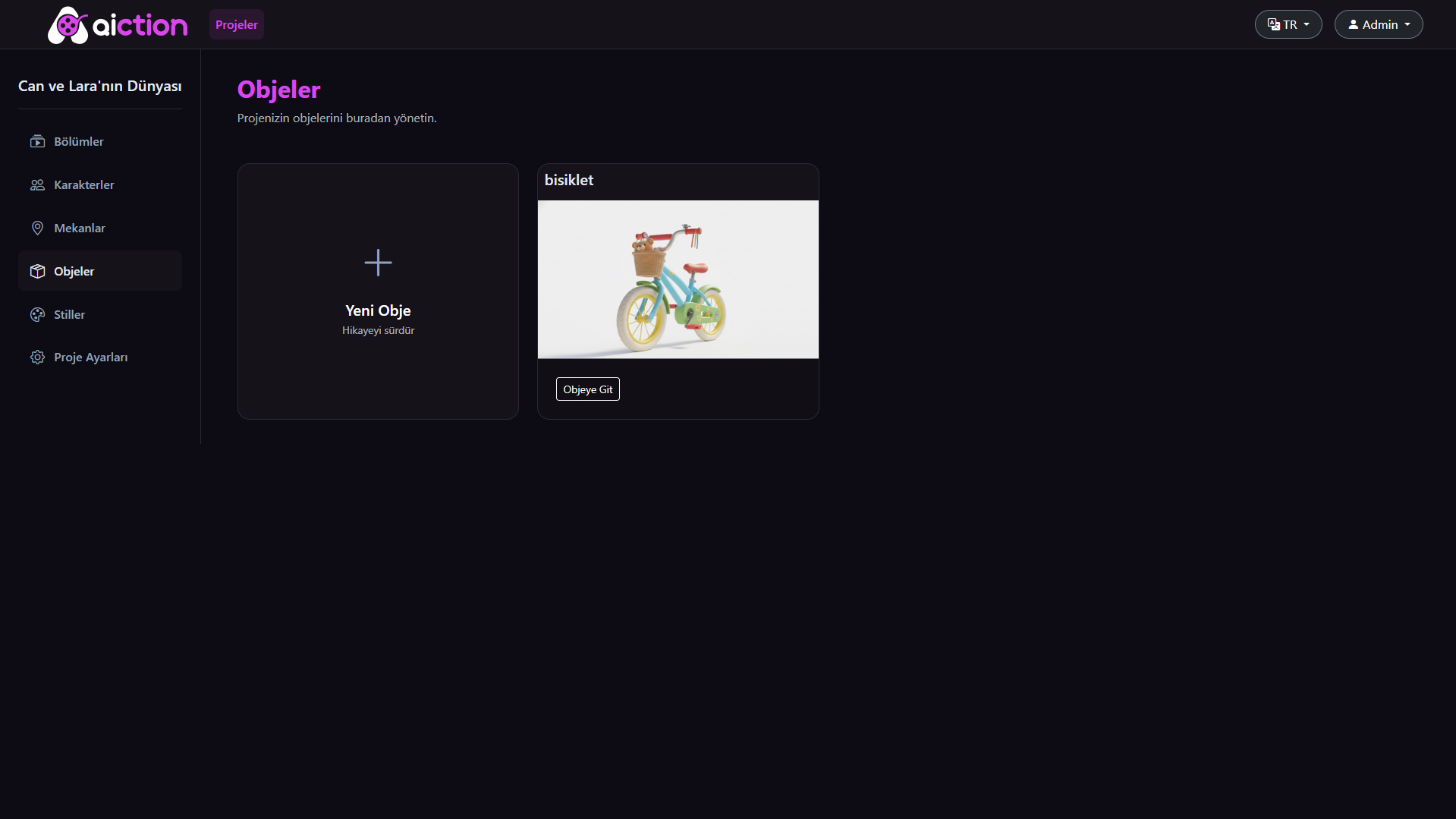
Go to Characters, Locations, Objects and Styles from the left menu. Add each asset once. Define the art style and key images in the Style Guide — AI memorises all of it.
Chat with Toonoon AI — enter a short prompt, AI produces a scene-by-scene scripted screenplay. Say 'continue' to develop the story further.
In Scene Builder, set location, time range and characters. AI produces a Start Frame — approve it. Then move to the Timeline: place dialogue, prompt and sound events on tracks.
Once all events are placed, hit 'Save' then render. The system converts events into a structured JSON prompt package and sends it to the AI video engine. Cinematic video ready in minutes.
11 real screens — every step from projects to timeline is here.
From independent content creators to Fortune 500 brands — Aiction makes production possible at any scale.
Produce weekly cartoon episodes. Build your own series — consistent characters, fast production, regular content schedule. Grow your subscriber base.
AnimationYouTubeProduce ad films in hours. Create your own mascot character, open a separate project for each campaign. Agency quality without the agency budget.
B2BMascot AIAnimated lesson content and e-learning videos. Visualise abstract concepts with characters, making learning memorable and engaging.
EdTeche-LearningClient presentations, product explainer videos, company culture animations. B2B custom licensing, API access and full project isolation.
B2B APIWhite LabelGame cutscenes, character reveal videos, promo content. Speed up development with rapid prototyping of in-game narrative animations.
CutscenePromoTell cinematic stories without mastering animation techniques. Start immediately with freemium access — idea, script, timeline, render. Solo, fast, unlimited.
FreemiumSolo ProductionJoin the early access list — when the beta launches, your studio opens first. Free, no strings attached.